

Key Takeaways
- EINSTAR offers handheld, standalone and wireless tracking systems rather than a one-size-fits-all scanner.
- The range supports applications including 3D printing, reverse engineering, digital content and heritage preservation.
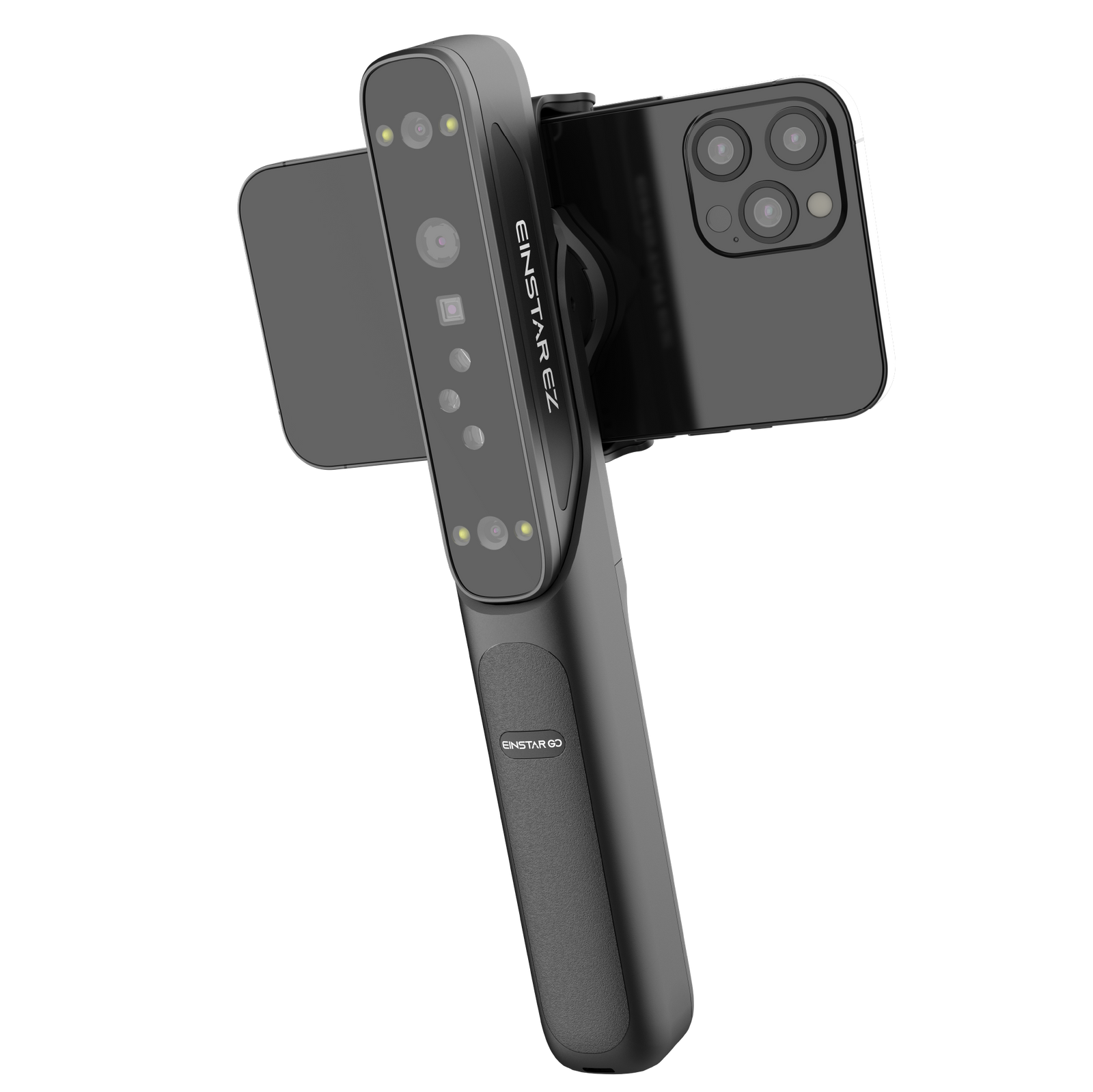
- EINSTAR EZ GO is positioned
- EINSTAR provides software, accessories, learning resources and direct support alongside its scanners.
- Buyers should choose by workflow and computing preference because the published range spans phone-based, handheld and all-in-one designs.
EINSTAR 3D scanners occupy an interesting space between accessible mobile capture and more involved engineering workflows. Powered by SHINING 3D, the brand offers handheld scanners, wireless all-in-one models, tracking systems, software and accessories. That breadth is the main attraction—but it also means shoppers need to identify how they want to scan before choosing a device. This deep-dive examines the published range, supporting ecosystem and practical trade-offs rather than declaring one model right for everyone.
Our verdict on EINSTAR 3D scanners
EINSTAR is most compelling for buyers who want a defined path from physical object to usable digital model, with several scanner formats under one brand.
The company says its products inherit the metrology background and more than 20 years of high-precision expertise of SHINING 3D. Its catalog then translates that foundation into distinct options: phone-oriented mobile scanning, conventional handheld capture, self-contained wireless operation and marker-free tracking.
That segmentation is useful. A creator digitizing objects for 3D printing does not necessarily need the same setup as an engineer capturing an engine bay, while an educator may prioritize portability and fewer connected components. EINSTAR acknowledges those differences instead of presenting a single universal device.
The trade-off is that model names alone do not explain the complete workflow. Buyers still need to compare scanning modes, required hardware, software and accessories on the relevant product pages. The sensible first step is to browse the current EINSTAR scanner range and work backward from the objects and environments involved.
How the EINSTAR 3D scanner range fits together
The range divides into mobile handheld scanners, standalone devices and a wireless tracking system, making workflow the clearest basis for comparison.
| Product or family | Published positioning | Most relevant starting point |
|---|---|---|
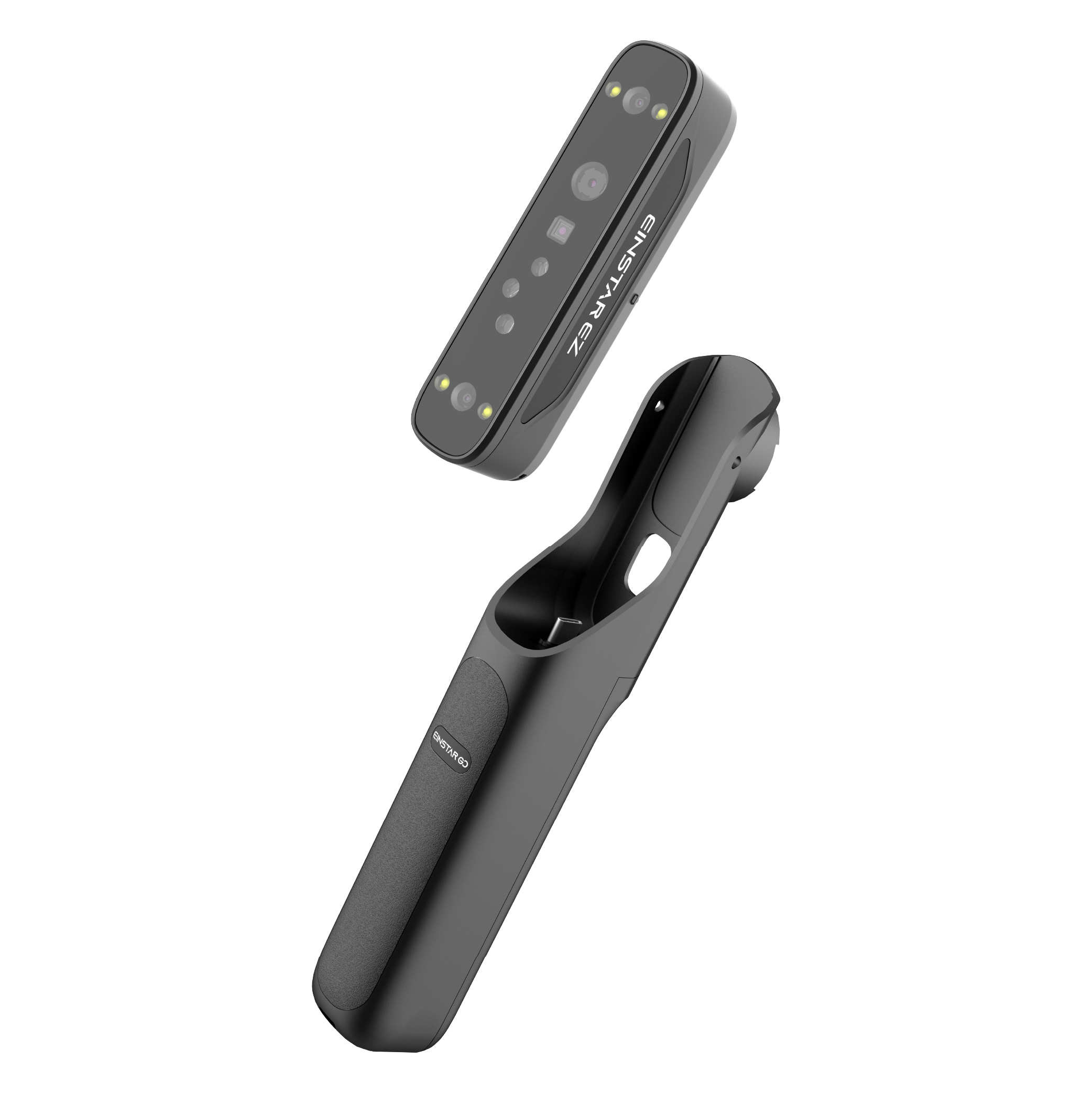
| EINSTAR EZ GO | AI-powered wireless 3D scanner for phones | Mobile, phone-centered scanning |
| EINSTAR Rockit | Handheld scanner promoted as pocketable | Portable handheld capture |
| EINSTAR 2 | Updated handheld EINSTAR model | Buyers considering the core handheld line |
| EINSTAR VEGA | Wireless all-in-one 3D scanner | Scanning without a conventional tethered setup |
| EinScan Rigil | Tri-mode laser 3D scanner | Workflows that call for multiple scanning modes |
| EinScan Rigil Lite | Lighter-positioned Rigil model | Shoppers comparing the two Rigil options |
| EinScan Trak | Wireless marker-free tracking system | Tracked scanning without markers |
EZ GO and the handheld models
EZ GO has the clearest consumer-facing proposition: it is described as EINSTAR’s first AI-powered mobile 3D scanner and is designed for phones. That could appeal to users who value a familiar mobile interface, although shoppers should verify phone compatibility and the full workflow on the live product page before ordering.
Rockit and EINSTAR 2 sit within the handheld category. The brand emphasizes Rockit’s pocket-friendly concept, while EINSTAR 2 is presented as an improved continuation of the core line. The published material supplied here does not provide enough detailed specifications to rank their capture performance responsibly, so selection should be based on current product documentation rather than the slogan alone.
Standalone scanning and wireless tracking
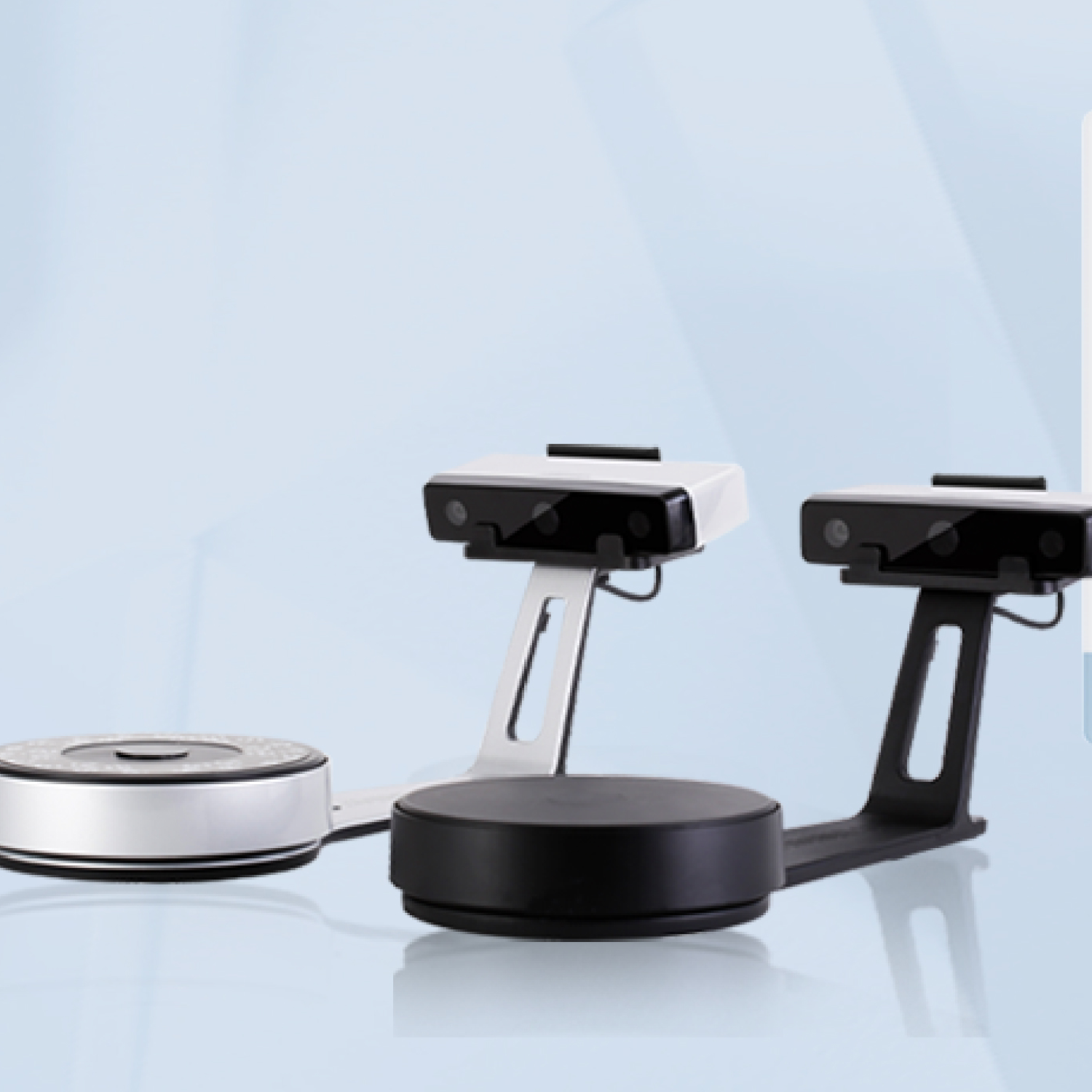
VEGA is the straightforward choice to investigate when an all-in-one wireless design is the priority. Rigil, meanwhile, is promoted around tri-mode laser scanning, with Rigil Lite offered as a related alternative. EinScan Trak addresses another problem entirely: wireless marker-free tracking.
These are meaningfully different approaches, not cosmetic variations. Anyone scanning for reverse engineering or aftermarket fabrication should define the required operating environment, object types and downstream CAD process before comparing models.
Software and support strengthen the proposition
EINSTAR offers more than scanner hardware, with software, accessories, education and direct support forming a broader scanning ecosystem.
The listed software includes EXMeasure, EXModel and EXModel Personal. The store also carries an Accessories Pro Kit, a metal tripod with gimbal and 6 mm scanner markers. That makes it possible to investigate a more complete setup through one catalog rather than treating the scanner as an isolated purchase.
Support resources include a download center, FAQs, the EINSTAR Wiki, ticket submission and one-to-one video calls. EINSTAR Academy covers subjects such as accuracy, moving from scan to CAD, 3D printing and scanning, and handling dark or shiny objects. Those resources matter because successful scanning depends on technique and downstream processing as well as hardware.
The strengths and trade-offs of EINSTAR 3D scanners
EINSTAR’s greatest strength is choice, while its main buying challenge is determining which combination of hardware and software fits the intended workflow.
What stands out
- Several form factors: The catalog covers phone-based, handheld, standalone and tracked scanning.
- Application breadth: EINSTAR identifies 3D printing, personal manufacturing, engineering, heritage preservation, art, AR, VR, healthcare and education as application areas.
- Supporting ecosystem: Software, accessories, tutorials, downloads and direct assistance are available alongside the hardware.
- Refurbished options: The site lists refurbished versions of selected products, including VEGA, Rockit and EINSTAR 2.
What deserves closer checking
- No single model suits every use: Portability, self-contained operation and marker-free tracking solve different problems.
- The downstream process matters: Capturing an object is only part of a scan-to-model or scan-to-CAD workflow.
- Specifications must guide the final decision: Buyers should confirm current compatibility, included components and product-specific capabilities directly on the relevant listing.
- Accessories may be workflow-dependent: A tripod, markers or a kit may be useful for some setups but unnecessary for others.
Who should consider EINSTAR?
EINSTAR is worth considering for makers, engineers, educators and digital creators who can clearly define what they need to capture and what they will do with the scan.
The mobile creator: Start by investigating EZ GO if phone-based wireless operation is central to the plan.
The portable scanner user: Compare Rockit and EINSTAR 2 when a handheld format is preferable to an all-in-one device.
The self-contained-workflow buyer: Look closely at VEGA if wireless all-in-one scanning is the deciding requirement.
The engineering or fabrication user: Compare Rigil, Rigil Lite and EinScan Trak according to the need for laser modes or marker-free tracking. EINSTAR itself highlights reverse engineering and aftermarket applications, but the precise model decision should follow a review of current technical documentation.
Is EINSTAR the right place to buy a 3D scanner?
EINSTAR deserves a place on the shortlist when product variety, supporting software and an established learning ecosystem matter as much as the scanner itself.
The brand’s catalog is broad without being directionless: each major family is framed around a recognizable operating style. Its support center and educational content also provide somewhere to turn after purchase.
The best buying decision will come from matching the scanner to a concrete task rather than choosing the most prominent model. Before committing, compare EINSTAR’s current products and accessories, then confirm compatibility, package contents and support policies for your region. If the workflow is still unclear, the brand’s one-to-one video call option offers a practical next step before visiting the official EINSTAR online store.
Frequently Asked Questions
What kind of products does EINSTAR make?
EINSTAR makes handheld and standalone 3D scanners, plus wireless tracking and scanning systems. It also offers scanning software, accessories and refurbished versions of selected scanners.
Is EINSTAR connected to SHINING 3D?
Yes. EINSTAR states that it is powered by SHINING 3D and draws on the company’s more than 20 years of high-precision expertise.
Which EINSTAR scanner works with a phone?
EINSTAR EZ GO is presented
Does EINSTAR offer a wireless all-in-one 3D scanner?
Yes. EINSTAR VEGA is positioned as a wireless all-in-one 3D scanner, while EinScan Trak is a separate wireless marker-free tracking system.
Can EINSTAR scanners be used for reverse engineering and 3D printing?
EINSTAR identifies reverse engineering, aftermarket engineering, 3D printing and personal manufacturing among its application areas. The appropriate scanner depends on the object, capture environment and intended downstream workflow.
What support does EINSTAR provide after purchase?
EINSTAR lists a support center, download center, FAQs, a wiki, ticket submission and one-to-one video calls. Its Academy also publishes guidance on accuracy, scan-to-CAD workflows, 3D printing and scanning dark or shiny objects.